

How products are chosen
Every recommendation source, what each is good for, and when the work happens.
How products are chosen, in the Recommendations section of the widget editor, decides what a shopper sees. The options fall into three groups, and they differ in when the work happens as well as in their results.
Which options a widget offers depends on its page. A product page and the cart can use all of them, because each has products to start from: the one being viewed, or every item in the cart. The home page and search results have none, so they offer only the sources that need no starting product. A collection page adds Products in this collection.
Shopify’s own recommendations
- Shopify’s related products: what Shopify considers similar to the product being viewed. On the cart it reads Related to what’s in the cart.
- Shopify’s complementary products: what goes with it. These are the pairings you set in Shopify’s own Search & Discovery app. Where a product has none yet, Shopify’s related products are shown instead, so the widget is never empty for that reason alone. On the cart it reads Goes with what’s in the cart.
Both are worked out by Shopify as the page loads. They cost you nothing, they improve as your store gathers order history, and they need no maintenance. On the cart they look at every item, not just the first, and leave out what the shopper already has.
From your catalogue
| Source | What it shows |
|---|---|
| Same collection | Other products in a collection the product belongs to. Called Products in this collection on a collection page. |
| Same vendor | Other products from the same vendor. |
| Same product type | Other products of the same type. |
| Shares a tag | Products with tags in common, the most shared tags first. |
| Products from a collection | Products from collections you choose. |
| Products with a tag | Products carrying tags you choose. |
| Products of a type | Products of types you choose. |
| Products from a vendor | Products from vendors you choose. |
| Recently ordered | What your shoppers have bought lately. |
| Best sellers | Your best-selling products. |
| Newest arrivals | Your most recently added products. |
Same collection is worked out in your theme as the page renders: add a product to a collection and it becomes eligible immediately.
The others are worked out when you save the widget, and written onto your store so the storefront never waits for them. After a save they take up to a minute to appear on a large catalogue. A product you add or retag later joins in the next time you save the widget.
Shares a tag puts the products with the most tags in common first, so a tag every product carries, such as an import batch, does not crowd out the ones that say what a product is.
Chosen by you
Products I choose
Press Choose recommendations and pick exactly what appears. Use it for the pairings you know work and an algorithm will not guess: the strap that fits one watch, the refill for one machine. They show wherever the widget shows, so pair it with Show the widget on to decide which pages that is.
What you picked is listed under the button, and the order of that list is the order shoppers see. Drag a row by its handle to move it, or focus the handle and use the up and down arrow keys. The x at the end of a row removes that product without reopening the picker.
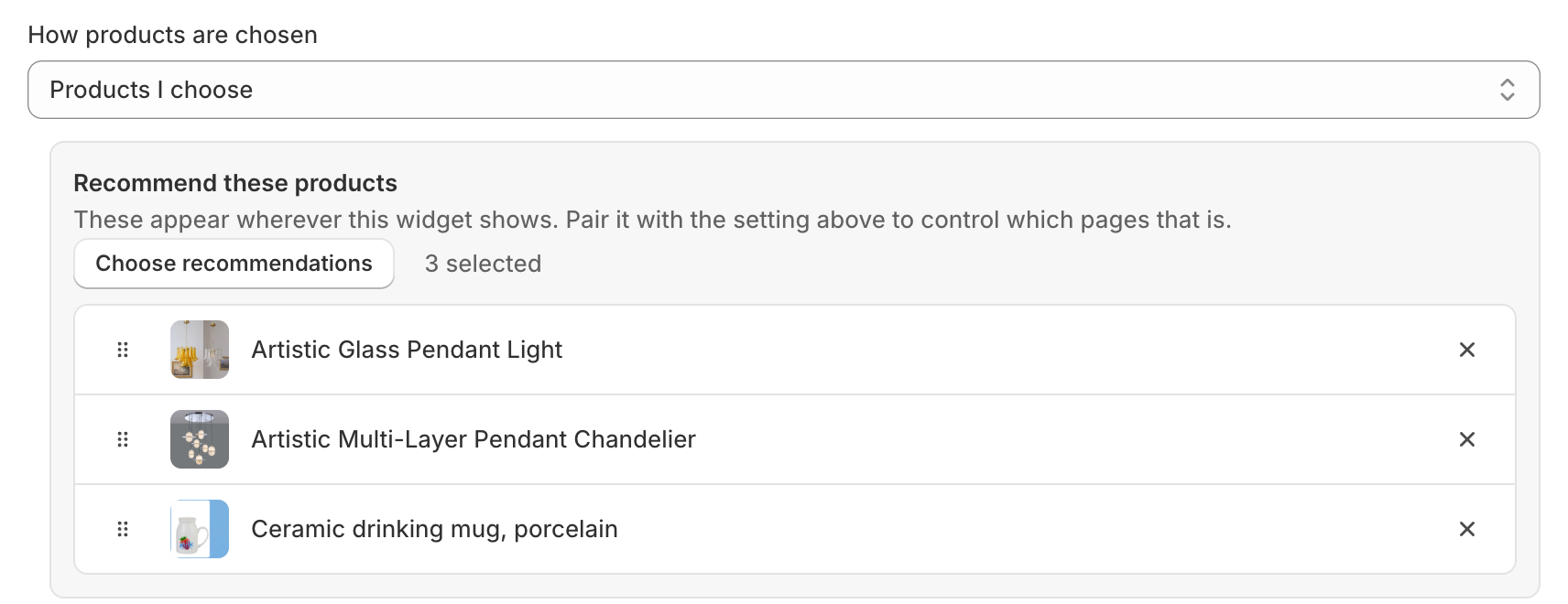
On the cart, a hand-picked product is shown even if the shopper already has it, because you named it. Every other source leaves out what is already in the cart.
Rules I define
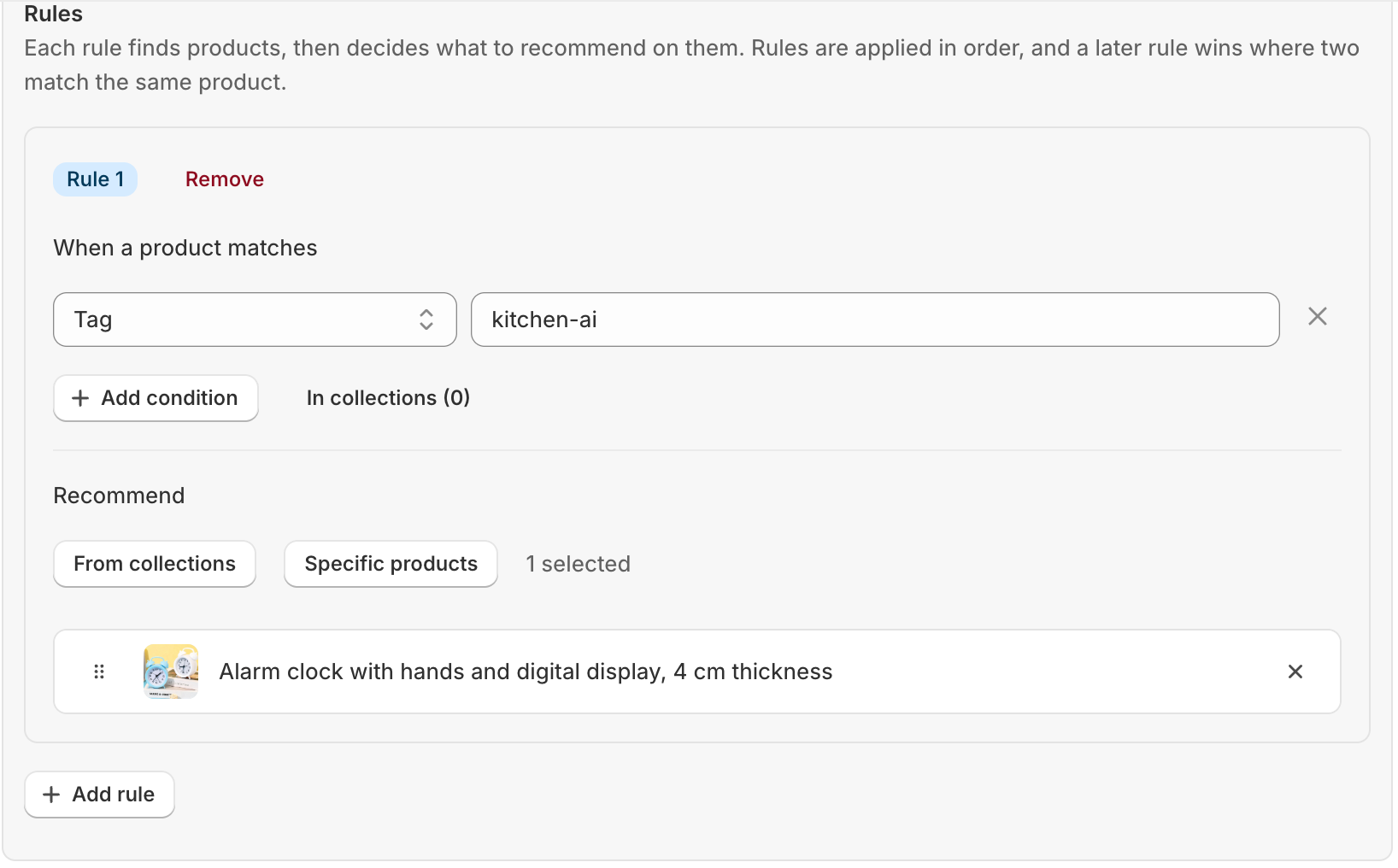
Describe the pairing once and Somix keeps it current. Each rule has two halves: When a product matches, a set of conditions on tag, vendor or product type, or a list of collections; and Recommend, either products from collections or specific products. Products tagged summer can recommend from the Summer collection, and next season’s arrivals are covered the moment you tag them. Rules apply in order, and where two match the same product the later one wins. A rule missing either half is ignored, and the editor says so.
What each layout offers
- Recommended products and Add-ons: every source the page allows.
- Buy together: Shopify’s complementary products, Products I choose and Rules I define, because the tag and vendor sources produce bundles that do not belong together. Off the product page and the cart, only Products I choose.
- Inline offer: same vendor, same product type, shares a tag, best sellers, newest arrivals, products I choose and rules I define.
- Recently viewed: no source to choose. It is the shopper’s own history.
Which to use
Start with Shopify’s related products on a product page. It needs no work, it is rarely embarrassing, and it gives you a baseline in the analytics to judge anything else against. Move to a curated source where you can see the automatic one getting it wrong, and use the per-widget numbers to decide, rather than an impression from looking at it.
Something here wrong or missing? Tell us. We would rather fix the page than answer the same question twice.