

Leaving products out
Hiding out-of-stock items, tagged products and whole collections from every widget.
Whatever chooses your products, Never recommend, at the foot of the Recommendations section, can take some back out. Each widget has its own list, and it applies to every source that widget uses, including Recently viewed.
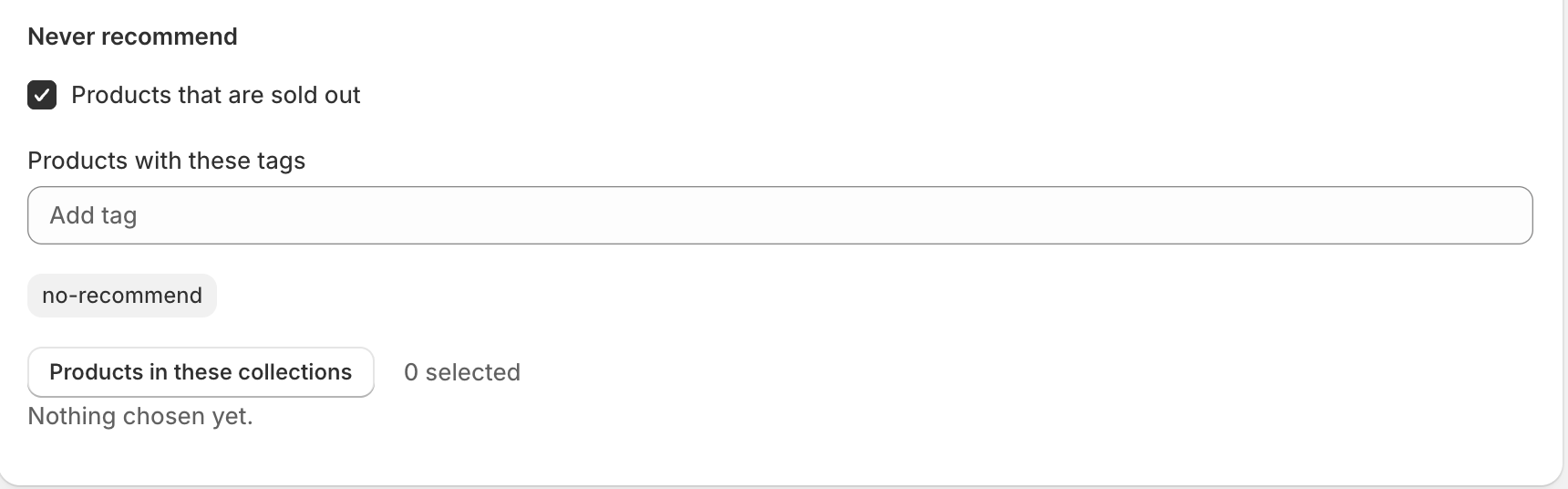
What you can exclude
- Products that are sold out: nothing that cannot be bought is recommended.
- Products with these tags: useful for a no-recommend tag you apply to gift cards, samples, spare parts or anything else that should never be an upsell.
- Products in these collections: the same idea at collection scale, for clearance or wholesale-only ranges.
When they apply
These are checked on your storefront as the page renders, not when you save. So a product going out of stock disappears from recommendations immediately. You do not have to re-save the widget and nothing has to catch up. A widget keeps a few spare products in hand, so leaving one out does not leave it one short.
Something here wrong or missing? Tell us. We would rather fix the page than answer the same question twice.